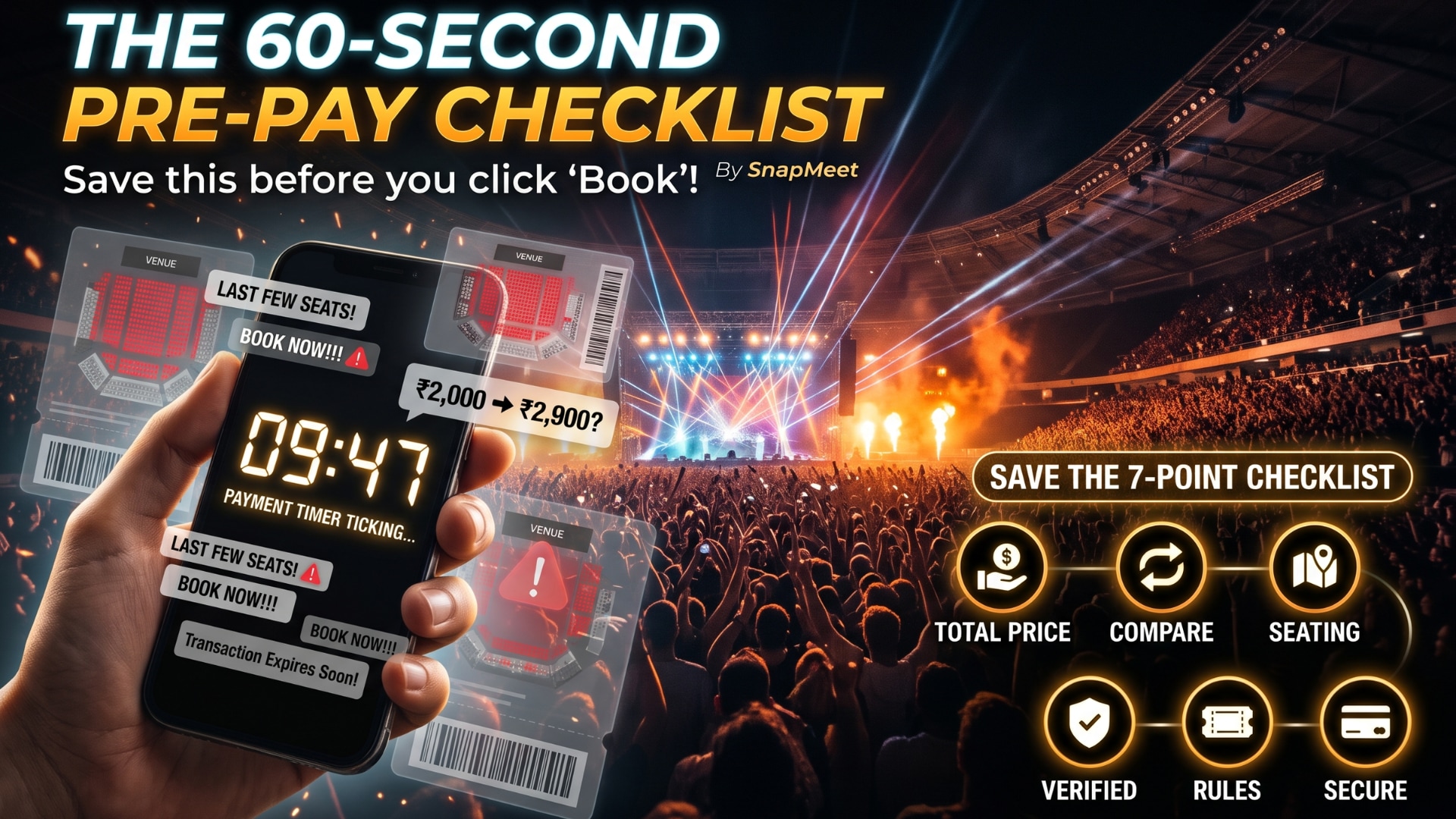
You’ve waited months for this concert. The presale is live, your heart is racing, and the timer says 9:47 left to complete payment. This is exactly when most people make expensive mistakes.
You know the feeling. Your favourite artist is finally coming to your city. Three tabs are open, your friends are spamming the group chat with “BOOK NOW!!!”, and the seat map is turning red by the second.
So you tap, pay, and only later notice the ₹2,000 ticket somehow cost ₹2,900, the seats are behind a pillar, and the refund policy says “non-refundable” in very small print.
Concert tickets are one of the few purchases we make while emotional, rushed, and slightly delusional. So we built a fix: a 7-point checklist that takes about 60 seconds and can save you money, stress, and heartbreak.
Screenshot it. Save it. Send it to the friend who always says “just book it, we’ll figure it out.”
✅ 1. Check the Total Price, Not the Starting Price
That “₹1,499” on the listing is often just the opening act. Before you pay, look at the final amount on the checkout page. Convenience fees, platform charges, and GST can quietly add a big chunk on top.
Do this: Go to the last step of checkout before deciding, and compare the final amount, not the headline price.
✅ 2. Compare the Same Event Across Platforms
The same concert can show different prices, fees, and seat availability depending on where you look. Two minutes of comparison can easily be worth more than the cost of a snack at the venue.
Do this: Open at least two or three trusted sources for the same event and compare the total price for the same seat zone.
✅ 3. Know Exactly Where You’ll Be Sitting
“Gold,” “Silver,” and “Fan Pit” mean different things at different venues. A cheaper ticket might put you far from the stage, behind a sound tower, or at a bad angle.
Do this: Look at the venue map, check the zone name, and search for photos or fan comments about the view from that section.
✅ 4. Read the Refund and Cancellation Policy
Nobody enjoys reading policies, but this is the one that matters when plans change. What happens if the concert is postponed? Cancelled? Moved to another venue? Is your ticket transferable?
Do this: Find the words refund, cancellation, postponement, and transfer on the page. If you can’t find them, that’s a red flag in itself.
✅ 5. Verify the Seller Is Legit
Fake and duplicate tickets love hype moments. A suspiciously cheap deal from an unknown account or a random social media DM is rarely a bargain.
Do this: Buy from official or verified sources. Be extra careful with resale offers, especially anything that asks for payment outside the platform.
✅ 6. Check the Fine Print: Entry Rules and Ticket Delivery
Is it an e-ticket or a QR code? Does the event need a government ID? Are there age limits, bag rules, or re-entry restrictions? And how will the ticket reach you: email, app, or SMS?
Do this: Check the “Know before you go” section so there are no surprises at the gate.
✅ 7. Pay Safely and Save Proof
Use a secure, familiar payment method, and make sure the page is legitimate before entering any details. After paying, don’t just close the tab.
Do this: Screenshot the confirmation, save the booking ID, and check that the ticket actually landed in your email or account.
📌 The 60-Second Pre-Pay Checklist (Save This!)
✔ Check
☐ Total price (with all fees) checked
☐ Compared on at least 2 platforms
☐ Seat zone and view confirmed
☐ Refund and cancellation policy read
☐ Seller verified
☐ Entry rules and delivery method checked
☐ Secure payment and proof saved
🎶 Final Thought
The best concert memories come from the music, the crowd, and the people next to you, not from fighting over a refund or discovering a fake QR code at the gate.
A little comparison before you pay makes everything after it more fun. Run the checklist, then enjoy every second of the show.
Planning your next live experience? Discover upcoming events and compare your options on SnapMeet, so you can book smarter and spend more time enjoying the music.